Fault tolerance for HDS
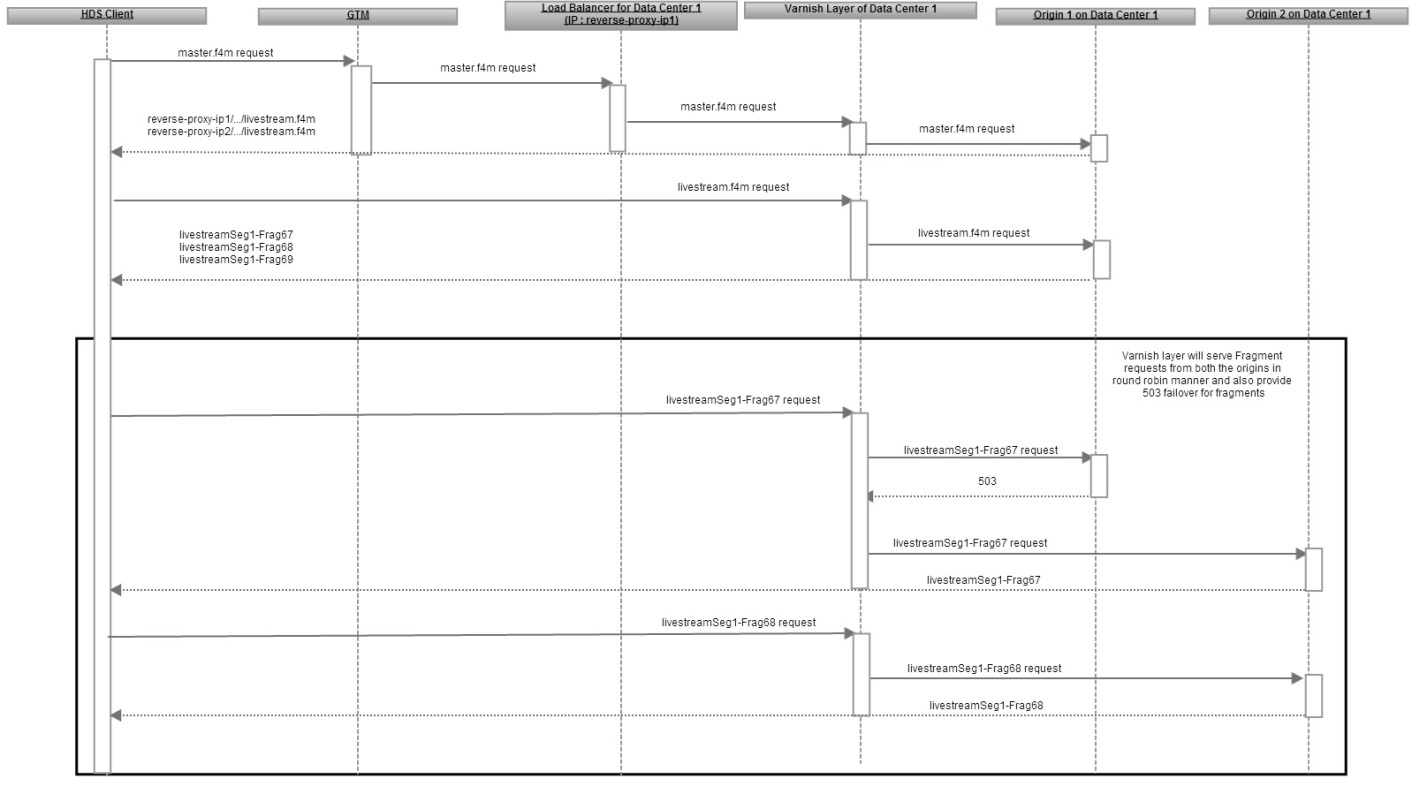
The sample live streaming pipeline provides HDS fault tolerance using Best Effort Fetch and 503 failover, described in Rock Solid Live Streaming. 503 Failover is a proxy configuration technique that is used to serve a fragment request when the fragment is available with any origin server. This functionality is achieved by the reverse proxy logic where the request is routed to a different origin server when the first origin server responds with 503 indicating fragment unavailability. You use this technique with the Best Effort Fetch (BEF) technique to mitigate the effect of transient errors. A BEF-enabled player requests a fragment even if it is not yet listed in the HDS bootstrap (liveness issue) or marked as dropped.
<?xml version="1.0" encoding="UTF-8"?>
<manifest xmlns="http://ns.adobe.com/f4m/2.0">
  <bestEffortFetchInfo segmentDuration="4" fragmentDuration="4"/>
....
</manifest>
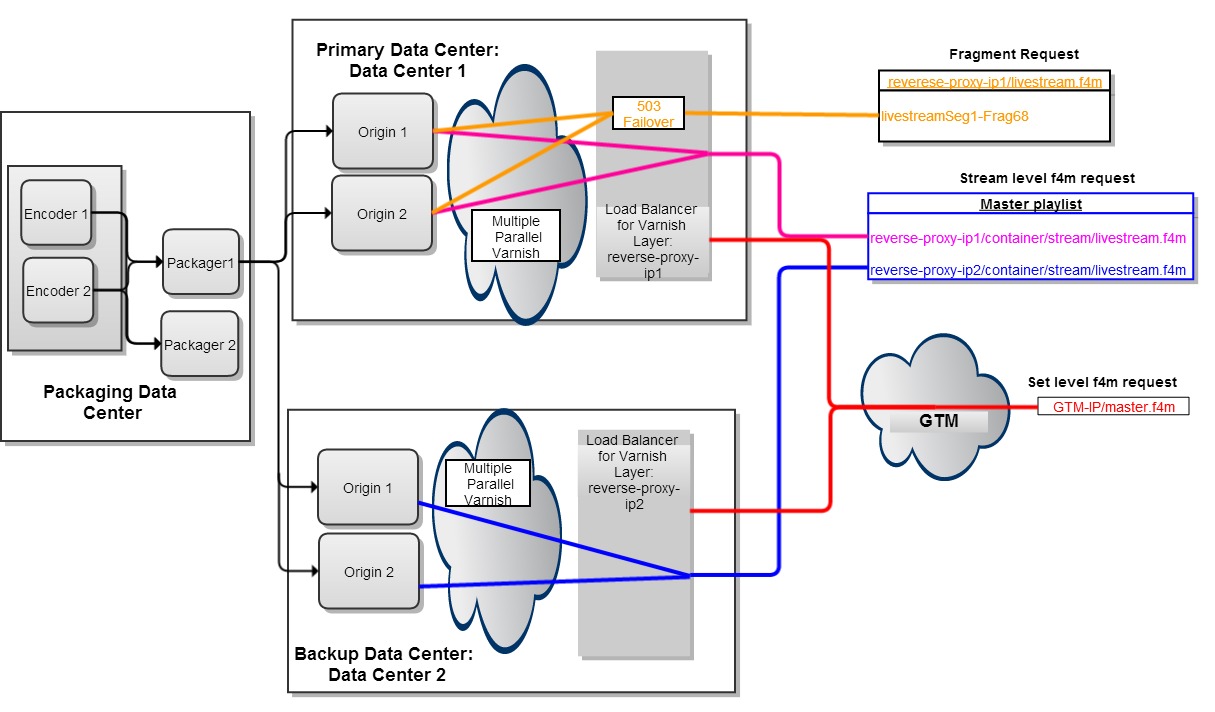
The setup balances the stream load across all origin servers in a data center by the reverse-proxies that route the requests in a round-robin manner. The 503 failover technique also provides fault tolerance as shown in Figure 2.
GTM enables load balancing and fault tolerance across data centers by redirecting the set-level manifest requests to either data center in a round robin fashion. For optimal load balancing, you should set the TTL (max-age) for set-level manifest to a just a few seconds. A low value ensures that the set-level manifest is not cached in the downstream HTTP infrastructure for too long and is sent to a significant number of clients. Set the value of TTL of the set level manifest to a few hours if you do not require load balancing and the second data center serves as backup as shown in Figure 1.
The set-level F4M at origin servers in data center 1 includes the URL that contains the IP of the load-balancer in data center 1. The IP is listed before the URL of the stream of the other data center stream. You can achieve this by using the <BaseURL> construct of F4M (version 2.0) or listing each rendition stream in multiple <AdaptiveSet> elements, as specified in Adobe Media Manifest (F4M). The <AdaptiveSet> corresponding to data center1 is listed first in the set-level F4M at data center1. In contrast, the reverse is true for set-level F4M at data center 2.